Business solutions

One system, instead of ten subscriptions.

Most businesses pay for a website builder, an invoicing app, an e-signature tool and something to glue them together, then pay people to move data between them. A custom system does the whole job, built around how you work, and owned by you.

Monthly softwareExample data
Website builder$39/mo
E-signature$45/mo
Invoicing$35/mo
Automation$69/mo
Scheduling$16/mo
Forms and CRM$89/mo
Every month, every year$3,516/yr
One system you ownNo per-seat or per-task fees

The real cost

It isn’t only the subscriptions.

It’s the hours spent retyping, chasing and reconciling between them. A custom system removes both.

  • 01

    Fewer subscriptions.

    The website builder, e-signature tool, invoicing add-on and automation service become features of one system. The monthly bills stop.

  • 02

    Fewer hours of admin.

    A lead becomes a quote, a contract, an invoice and a payment without anyone copying details from one app to the next.

  • 03

    Faster revenue.

    Quotes go out in minutes, contracts are signed on the spot and customers pay online the moment they say yes.

  • 04

    Costs that don’t scale with headcount.

    No per-seat pricing and no per-task fees. Add staff and customers without adding licences.

What it replaces

Six jobs. One system.

The common tools a growing business pays for every month, and what each becomes inside one system.

  • Website

    • Squarespace
    • Wix

    A fast site you own, built to rank and to turn visitors into enquiries, with your own admin behind it.

  • Quotes and invoices

    • Invoicing apps
    • QuickBooks invoicing

    Quotes priced from your own rules that turn into invoices in one click. Your books can stay in QuickBooks, kept in sync automatically.

  • Contracts and signatures

    • DocuSign

    Agreements generated from the quote and signed in the same flow, with every signed copy stored against the customer.

  • Automation glue

    • Zapier
    • Make

    Workflows built into the system itself, so nothing breaks when one app changes and there is no per-task billing.

  • Booking and scheduling

    • Calendly
    • Acuity

    Booking that knows your availability, your staff and your equipment, and takes a deposit when it confirms.

  • Forms, leads and follow-up

    • Form builders
    • CRMs
    • Email tools

    Every enquiry lands in one place, gets scored, and gets a timely follow-up without anyone remembering to send it.

Product names are trademarks of their owners and are listed only as examples of tools a custom system can replace or connect to.

Before and after

From enquiry to paid.

The same job, run two ways.

BeforeFive apps
  1. An enquiry arrives through a website formManual
  2. Details are retyped into a spreadsheet or CRMManual
  3. A quote is built by hand in an invoicing appManual
  4. The contract is uploaded to an e-signature toolManual
  5. An invoice is created, sent and chasedManual
  6. Follow-up depends on someone rememberingManual
AfterOne system
  1. The enquiry arrives and is scored automaticallyAuto
  2. A quote is generated from your pricing rulesAuto
  3. The customer accepts and signs in the same stepAuto
  4. Payment or a deposit is taken onlineAuto
  5. Your books update and the job is scheduledAuto
  6. Follow-ups and reminders send themselvesAuto

Calculator

Do the math.

Add up what your current setup costs, in subscriptions and in hours.

What your setup costsYour numbers

The figures filled in are only an example. Change them to your own.

Each year

$27,240

Subscriptions
$5,400
Manual work
$21,840

Both grow as you add people and customers. A system you own is built once, then costs hosting and whatever support you choose. The written plan shows which of these costs it removes before you commit.

In practice

What it looks like when it’s live.

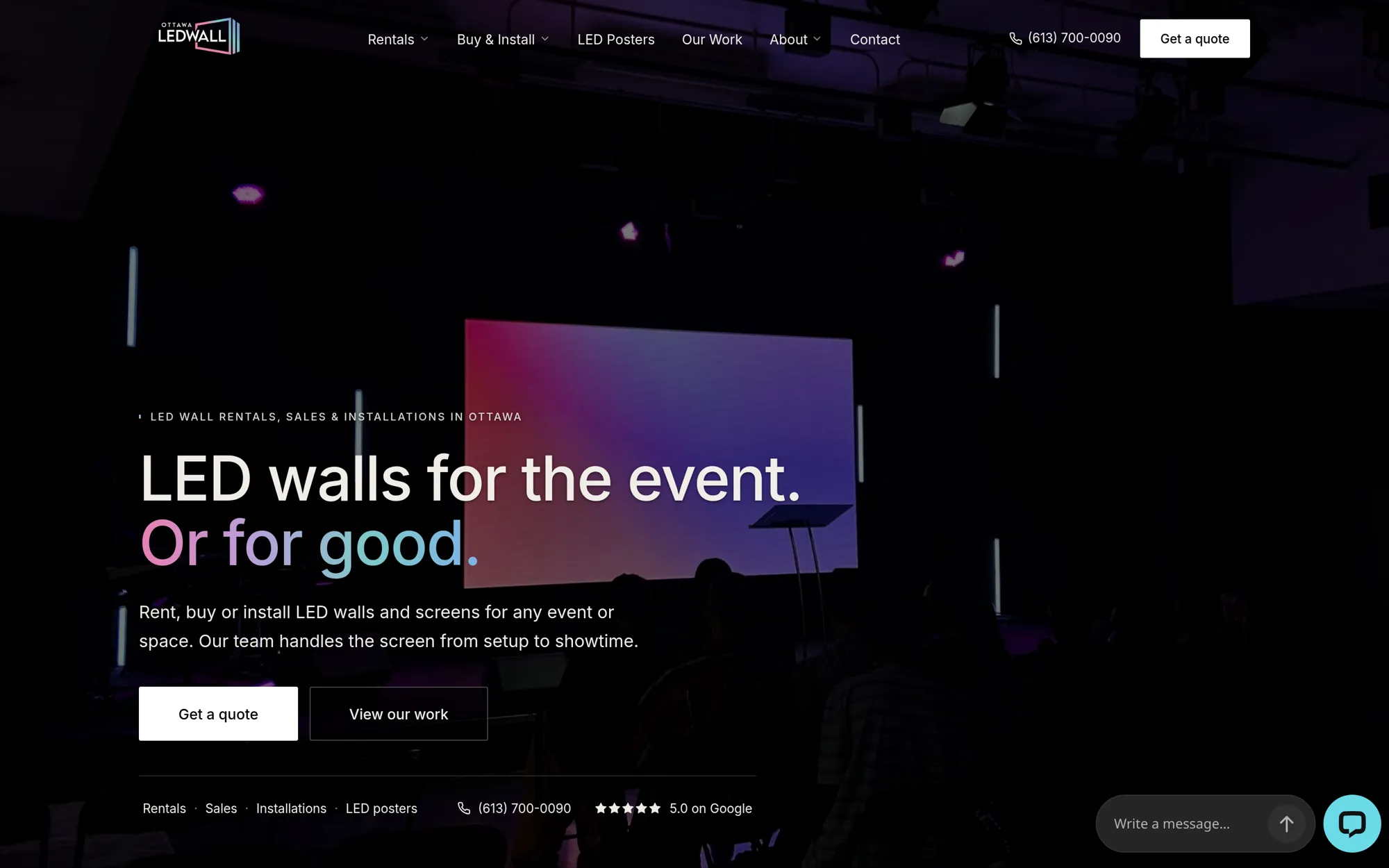
Ottawa LED Wall website homepage showing an LED wall at a live event
Live events · OttawaLive

Ottawa LED Wall

An Ottawa LED video-wall company serving events and churches. The business runs on one system built for it: the website, quoting and payments, automated follow-up and AI lead scoring, all in one place.

$20K+monthly revenue within its first 12 months

FAQ

Questions.

Do I have to give up QuickBooks or my accounting software?

No. Accounting usually stays where your bookkeeper wants it. The system handles quotes, invoices and payments, and keeps your books in sync automatically.

Will a custom system cost less than my subscriptions?

Often, over time, but it depends on your setup. The free first conversation looks at what you pay and the hours your team spends, and the written plan shows what would be replaced and the fixed price for phase one, so you can compare before committing.

What happens to the data in my current tools?

It comes with you. Customers, jobs, invoices and documents are migrated into the new system, and old tools are switched off only once everything is working.

Who looks after the system once it’s built?

You own the code, the accounts and the data. I can stay on for support and improvements, or hand it over to your team or another developer.

Taking new projects

Tell me what’s slowing you down.

I reply personally within one business day, with a time for a free 30-minute call.

Or emailcontact@dinebari.comOttawa, Ontario. Working across Canada and the US.